How to Analyze Charts Effectively on MetaTrader 4 Android
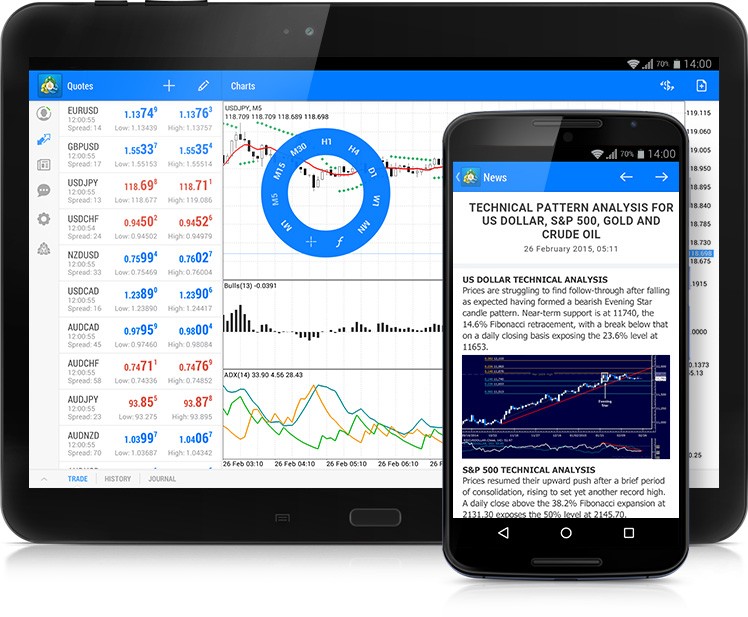
MetaTrader 4 (MT4) remains one of the most popular trading platforms in the forex market, and its accessibility through Android devices has made it even more convenient for traders on the go. Analyzing charts effectively on metatrader 4 for android is crucial for making informed trading decisions. Here’s a beginner’s guide to mastering chart analysis on the MT4 Android app.
1. Understanding the Basics
The MT4 Android app provides a user-friendly interface where traders can easily access real-time quotes, execute trades, and, most importantly, analyze charts. To start, open the app and select the ‘Quotes’ tab. Tap on any instrument, and choose ‘Chart’ to open its price chart.
2. Customizing the Chart
For effective analysis, personalizing the chart to your preferences is key. You can change the chart type (bar, candlestick, or line) by tapping on the ‘Chart Type’ icon at the top of the screen. Each type provides different insights, with candlesticks being particularly popular for the depth of information they offer.
Zoom in or out by pinching the screen to get a better view of the price action. Additionally, you can adjust the time frame—from one minute to one month—by tapping on the ‘Timeframe’ icon, allowing you to analyze short-term and long-term trends.
3. Adding Indicators
Indicators are vital tools for technical analysis. To add an indicator, tap on the ‘f’ icon, then select ‘Main Window’ or ‘Indicator Window’ depending on where you want the indicator to appear. MT4 Android offers a wide range of indicators, including Moving Averages, MACD, RSI, and Bollinger Bands. Experiment with different indicators to find what works best for your trading strategy.
4. Analyzing Price Movements
When analyzing charts, look for patterns and trends that could indicate potential market movements. Pay attention to support and resistance levels, trend lines, and chart patterns like triangles, flags, and head and shoulders. These elements can help predict future price action.
5. Practice Makes Perfect
The key to effective chart analysis on MT4 Android is practice. Spend time each day analyzing different charts and indicators, and watch how the market responds to certain patterns and signals. Remember, no analysis method is infallible, so always use stop-loss orders to protect your investments.
By mastering chart analysis on MetaTrader 4 Android, you can enhance your trading strategy and make more informed decisions, all from your mobile device. Happy trading!

